Garden Planner Apps: GrowVeg vs Planter for Raised Beds
Compare GrowVeg and Planter for vegetable beds, calendars and saved plans. Follow a two-bed planning example and separate crop layout from soil quantity.
Start with GrowVeg if you want to lay out vegetable beds in a browser, print the plan and plant list, and keep crop-rotation history. Start with Planter if you want to arrange crops on your phone and begin with one saved garden for free. Both document planting-calendar features; choose around the record you need to use outdoors, not a universal “best app” label.
This comparison uses current official feature and pricing pages. Build24, our app, is mentioned separately for soil and material quantities. It does not choose crops or planting dates.
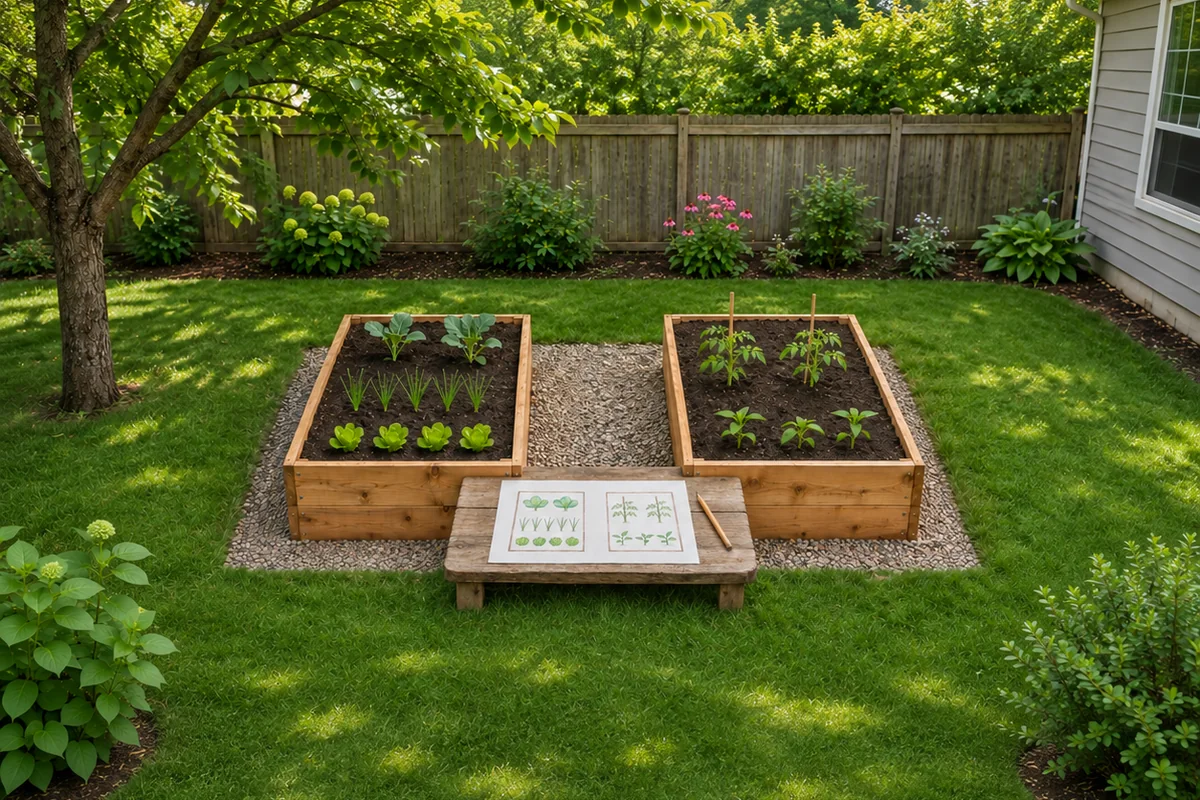
Compare the output, not just the plant icons
| What you need | GrowVeg | Planter |
|---|---|---|
| Lay out vegetables and garden structures | Draw beds and arrange crops/objects | Drag and drop plants in a garden layout |
| Decide when to sow or plant | Personalized planting calendar | Growing calendar |
| Keep a record across seasons | Crop-rotation guidance and garden journal | Notes and events are listed in Premium |
| Take a paper reference outside | Printable plan and plant list are documented | Check your intended sharing/printing workflow before committing |
| Start without a subscription payment | Seven-day trial without payment details | Free plan for one saved garden |
| Use the web version after the trial/free start | Paid GrowVeg subscription | Web app is included with Planter Premium |
GrowVeg’s overview describes its layout tools, planting calendar, rotation guidance and printable outputs. Planter’s official site describes visual placement, plant information, varieties and a growing calendar. A free “garden” means a saved plan, not necessarily one physical raised bed; do not treat that limit as a bed count.
On the checked US-dollar pages, GrowVeg offers a $35 annual auto-renewing option or a $50 one-year option. Planter lists Premium at $24.99 per year and a free tier with one garden; Premium adds unlimited gardens, notes/events and web access. Compare the renewal arrangement as well as the headline price, and check the final local purchase screen. GrowVeg subscription details, Planter pricing.
Gather five inputs before drawing
Measure the inside planting dimensions of each bed. The advertised outside size includes the frame and can overstate the area available to plants.
Next, record the spaces you must keep clear: paths, gates, hose access and the route used to reach the far side. Draw those before filling the plan with crops. An attractive grid is not usable if it blocks the route you need for watering or carrying supplies.
Record where sunlight reaches the beds and where fences or structures cast shade. Add your location for the planting calendar, then keep the actual seed packets or variety instructions beside you. A generic crop entry is a starting point; the variety you buy may need different space or timing.
Finally, distinguish an empty new bed from an existing filled bed. That changes the material estimate even when the top-down plan looks identical.
Worked example: a two-bed garden with a paper plan
Suppose you have two new beds with measured internal dimensions of 4 × 8 feet and 3 × 6 feet. You want a printed crop list for working outside and a record you can consult next season.
Choose GrowVeg for this brief, because those outputs are explicitly documented. Planter remains a reasonable option if your priority changes to a phone layout and a free starting plan. Neither choice establishes that a particular crop arrangement will thrive in an unobserved garden.
Create two named areas, Bed A and Bed B, and keep the path between them outside the planting area. Before deciding plant counts, make this draft allocation:
| Plan item | Draft position or record | What must be settled before planting |
|---|---|---|
| Bed A, 4 × 8 ft | Reserve one end for the selected tomato variety and its support | Mature spacing, support footprint and shade direction |
| Remaining Bed A area | A separate basil area, if the remaining space fits | Variety spacing; do not fill every spare icon-sized gap |
| Bed B, 3 × 6 ft | Two labeled zones for lettuce and carrots | Row/plant spacing, sowing dates and any later succession |
| Access | Keep the connecting path free | Actual comfortable access with your tools and watering method |
| Season record | Save crop names, varieties and intended dates | Check local conditions before carrying out each task |
This is a planning allocation, not a prescribed plant density. Put the actual varieties into the planner and adjust their spaces against the packet or supplier instructions. If the tomato’s mature footprint consumes the reserved area, reduce the other planting instead of shrinking the icon to make everything fit.
The finished output should identify which bed, which crop, which variety and which planned date. A plan that only says “vegetables here” still leaves the important decisions unresolved. Print the layout and crop list, date the copy, and update the record when what you actually plant changes.
Keep planting dates as editable plans
Both products offer calendar guidance, so the difference is not “one has dates and one does not.” Use the calendar to organize what you intend to do, then check the variety instructions and local conditions before sowing or transplanting.
If a date changes, record the actual sowing or planting date beside the plan. That is more useful next season than keeping an ideal schedule that no longer describes the garden. A week of delayed work should not turn into a false record of what is growing.
For this example, the printed plan can carry a short note for each zone: “lettuce, chosen variety, planned date, actual date.” The reader supplies the local dates; this guide cannot infer them from a 3 × 6-foot rectangle.
Calculate soil separately from crop placement
Suppose the two empty beds in the example need a measured 12 inches of fill. That is one foot, so the geometric volume is:
| Bed | Calculation | Volume |
|---|---|---|
| A | 4 × 8 × 1 ft | 32 cubic feet |
| B | 3 × 6 × 1 ft | 18 cubic feet |
| Combined | 32 + 18 | 50 cubic feet |
With bags labeled 2 cubic feet, the arithmetic is 50 ÷ 2 = 25 bags, before any adjustment justified by the material supplier’s guidance. The selected 12-inch fill is an example measurement, not a universal depth recommendation for these crops. Soil composition and settling are separate decisions from geometric volume.
Our Build24 app includes soil/gravel and other material calculators. It is an optional companion when the project also involves paths or construction. It does not import this garden plan, validate crop spacing or replace a planting calendar.
The exception: beds that already contain soil
If Bed A already has soil and needs only a 2-inch top-up, its missing volume is 4 × 8 × 2 ÷ 12 = 5.33 cubic feet, not 32. Measure the gap you actually intend to fill. Do not order the full-bed quantity again because the planner still displays the same rectangle.
Our raised-bed soil top-up guide handles different fill gaps across existing beds and combines volumes before rounding to whole bags.
Choose the planner that gives you a record you will maintain: GrowVeg for this printed, season-to-season brief, or Planter for the phone-first alternative. Then leave with a measured layout, named crop zones, locally checked dates and a separate material estimate. Those are practical outputs you can carry into the garden.
Sources & what to check
Source details checked 2026-11-15. Availability and prices can change; use the links below for current information.
Official-documentation comparison, not a hands-on app or growing trial. Crop positions are a draft; spacing and dates need variety and local checks.