A Cozy Gaming Setup With Better Light on a Small Desk
Set up cozy lighting on a small gaming desk. Test wall glow and screen reflections, keep the mouse area clear and check whether light bars fit.
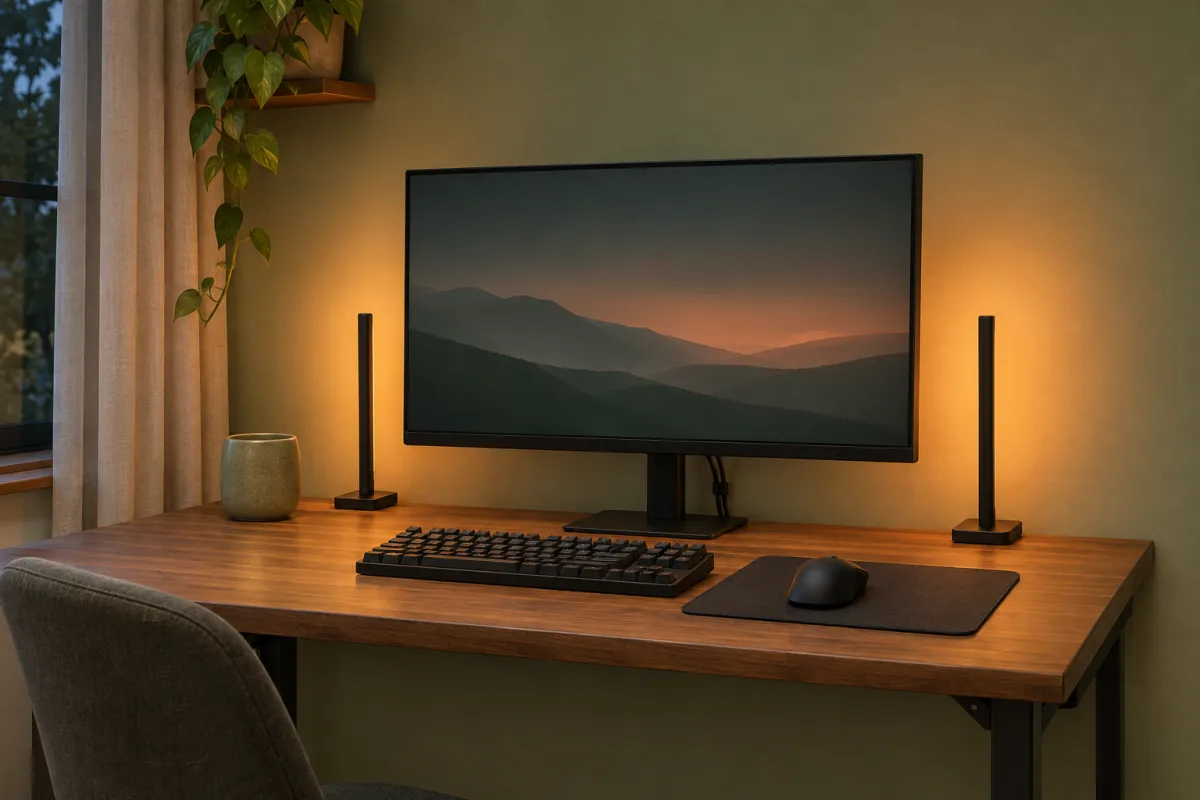
Start with a soft glow on the wall behind the screen and enough side light to see what your hands are doing. Try that arrangement with a lamp you already own. Sit where you normally play, open a dark screen and check whether you can see a reflection of the bulb. Move the lamp until you see the glow in the room and the game on the screen.
1. Find a place for reflected light
Try a lamp at one rear corner aimed toward the wall, with the bulb out of your direct line of sight. Begin at a low setting and choose one color for the wall. Move it a little at a time until it lights a patch of wall instead of throwing a bright reflection across the monitor. If you use a corner desk, try one side wall first. It may give you a softer patch than the short space right behind the screen.
Make the check from your chair with a dark game menu open, then lean to each side the way you normally would. If the bulb appears in the screen from your regular position, shift it sideways, turn it toward the wall or lower the brightness. A glossy screen and a matte screen can behave differently in the same room.
2. Keep the working space clear
If you use the desk for notes as well as games, aim a small shaded lamp at the keyboard or notebook from the side. Give yourself enough light to read. Keep the lamp outside the part of the desk your mouse, controller or arm actually uses.
On a 42 × 24-inch desk with a 27-inch monitor, trace the monitor base, your mouse area and anything you move every evening on a piece of paper. Put two paper templates the size of the light bases where you want the lights to sit. Move the mouse to the far edge of the pad, put the controller down and swivel the display as usual. If the templates stay clear of those movements and there is a usable cable path, the layout has room for a pair of bars. If one template overlaps your mouse area, try one lamp on an adjacent shelf or beside the desk.
3. Buy for the effect you want to keep
| What you want in the evening | What to try first | What to check before buying |
|---|---|---|
| One warm patch on the wall | Turn an existing lamp toward a side or back wall | The bulb is out of sight and the light is easy to turn down |
| A lit keyboard or notebook | Aim a shaded lamp from the side | The beam hits the work surface without reflecting in the screen |
| Adjustable color on both sides of the monitor | Test two positions with paper templates | The bases fit, both beams have wall space and the cord stays clear of moving parts |
For the two-sided color effect, Govee Gaming Light Bars Pro H6048 are an option for the 27-inch example. The bars can throw light back onto the wall and offer preset effects. Verify the monitor fit against the model instructions if you’re near the size limits. Govee lists Windows for screen-color syncing through its desktop software. A steady wall color already gives the layout its look, so screen sync is optional.
If there’s no room behind the monitor or its arm reaches into both corners, put the light beside the desk and point it at the nearest clear wall. Live with that position for an evening before buying more lights. Once you settle on a layout, check whether a clamp-on cable tray fits your desk if loose leads still catch on your feet or chair.
Lighting a television instead of a desk monitor? Check the wall gap and camera space before buying a TV backlight.
For a chair beside the gaming area, plan a reading light around the open book and decide whether the corner needs a separate background glow.
Sources & what to check
Source details checked 2026-11-11. Availability and prices can change; use the links below for current information.